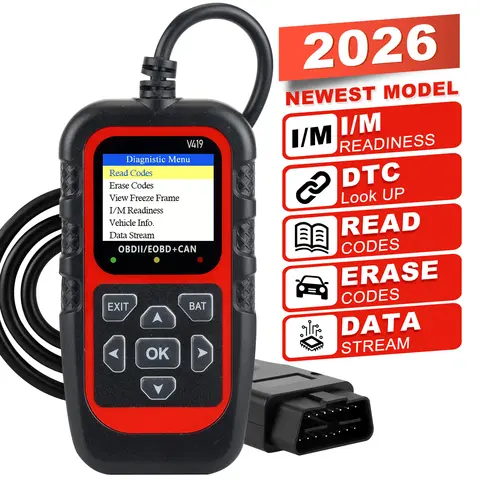
What is the best code reader auto for a beginner mechanic?
If you're a beginner mechanic or a DIY car enthusiast, the best
code reader auto for you is one that is user-friendly, affordable, and capable of reading and clearing basic diagnostic trouble codes (DTCs). The Autel MaxiScan MS300 is a top recommendation for beginners due to its simplicity and reliability.
- Code Reader Auto
- A device used to read and interpret diagnostic trouble codes from a vehicle's onboard computer system.
- DTC (Diagnostic Trouble Code)
- A code generated by a vehicle's onboard computer to indicate a specific issue with the engine or other systems.
- Connect the code reader auto to the vehicle's OBD-II port, usually located under the dashboard.
- Turn on the device and wait for it to communicate with the vehicle's computer.
- Select the appropriate vehicle make and model to ensure accurate readings.
- Read the DTCs and view the freeze frame data to understand the context of the error.
- Clear the codes once the issue has been resolved.
The Autel MaxiScan MS300 is ideal for beginners because it provides straightforward code readings and is compatible with most vehicles from 1996 onwards. It also includes a built-in battery to power the device without the vehicle running, which is useful for troubleshooting in various conditions.
How can a code reader auto help diagnose a car that won't start?
If your car won't start and you suspect an issue with the engine or fuel system, a code reader auto can help identify the root cause by reading the diagnostic trouble codes stored in the vehicle's computer. The BlueDriver Bluetooth Pro OBD2 Scanner is a reliable tool for this scenario.
- 01 Code Reader
- A type of code reader that supports OBD-II standards and can read generic and manufacturer-specific codes.
- Freeze Frame Data
- Information captured by the vehicle's computer at the moment a DTC was triggered, including engine speed, coolant temperature, and more.
- Connect the code reader auto to the OBD-II port.
- Turn on the device and wait for it to communicate with the vehicle.
- Check for any stored DTCs that may indicate a problem with the ignition system, fuel delivery, or starting system.
- Review the freeze frame data to understand the conditions under which the code was triggered.
- Clear the codes and test the vehicle again to see if the issue persists.
In one case, a user had a car that wouldn't start and used the BlueDriver Bluetooth Pro OBD2 Scanner to find a P0340 code, which indicated a faulty camshaft position sensor. Replacing the sensor resolved the issue. This example shows how a code reader auto can quickly pinpoint the problem and save time and money.
What features should I look for in a code reader auto for professional use?
For professional mechanics, a code reader auto should offer advanced diagnostic capabilities, including live data streaming, actuator tests, and support for multiple vehicle systems. The Launch CR123 Pro is a top choice for professionals due to its comprehensive features and compatibility with a wide range of vehicles.
- Actuator Test
- A diagnostic function that allows a mechanic to test the operation of vehicle components such as fuel injectors, relays, and solenoids.
- Live Data Streaming
- Real-time data from the vehicle's sensors and systems, used to monitor performance and diagnose issues.
| Feature | Launch CR123 Pro | Autel MaxiScan MS300 |
| Live Data Streaming | Yes | No |
| Actuator Test | Yes | No |
| Manufacturer-Specific Codes | Yes | Yes |
| Bluetooth Connectivity | Yes | No |
- Choose a code reader auto that supports live data streaming and actuator tests for in-depth diagnostics.
- Ensure the device is compatible with a wide range of vehicle makes and models.
- Look for a device with a large, easy-to-read display and intuitive interface.
- Consider a model with Bluetooth connectivity for wireless diagnostics and data transfer.
- Verify that the device can read and clear both generic and manufacturer-specific codes.
The Launch CR123 Pro is widely used in professional settings because it offers advanced diagnostic tools and is compatible with over 80 vehicle manufacturers. It also includes a built-in battery and a durable design suitable for use in workshops and on the road.
What do users say about the performance of code reader auto devices?
User reviews of code reader auto devices often highlight their reliability, ease of use, and diagnostic accuracy. The Autel MaxiScan MS300 and BlueDriver Bluetooth Pro OBD2 Scanner are frequently praised for their performance in both home and professional settings.
- Code Reader for Automobiles
- A diagnostic tool specifically designed for use with vehicles, capable of reading and clearing DTCs.
- Code Reader for Vehicles
- A general term for diagnostic tools used to read codes from a vehicle's onboard computer system.
Users of the Autel MaxiScan MS300 often mention its ease of use and affordability, making it a popular choice for beginners. One user noted that it helped them diagnose a misfire issue in their car, which they were able to fix by replacing a faulty spark plug. The BlueDriver Bluetooth Pro OBD2 Scanner is praised for its Bluetooth connectivity and compatibility with smartphones, allowing users to view diagnostic data on their mobile devices. A mechanic shared that it helped them quickly identify a fuel pump issue in a customer's vehicle, saving time and improving customer satisfaction. Overall, users recommend code reader auto devices that are reliable, accurate, and easy to use. Whether you're a beginner or a professional, choosing the right code reader auto can significantly improve your ability to diagnose and repair vehicle issues efficiently.